CLI vs MCP: Which one should you use in 2026?

Most developers adding tool access to their agents just pick one and move on. They add a few MCP servers, notice things feel slow or weird, and assume it's the model.
It's not the model.
The choice between using CLIs or MCPs has a direct, measurable effect on output quality, and most people building agents right now are making the wrong call for their context without knowing it.
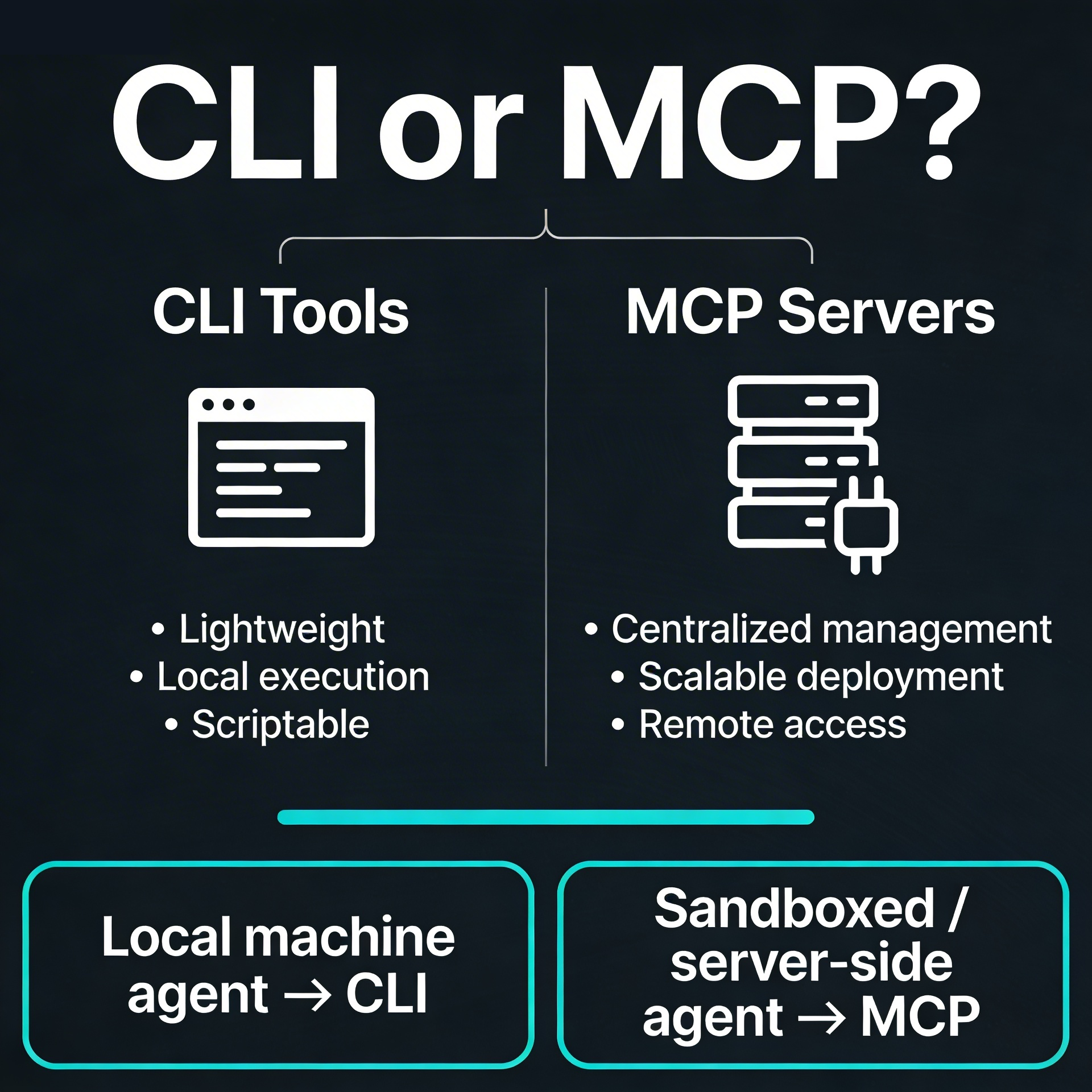
The short answer is this: if your agent runs on a local machine, use CLI tools. If your agent runs server-side in a sandboxed or narrow workflow, use MCP.
The long answer? This comes down to how each approach occupies the context window.
MCP servers load their full schema into context the moment they're registered, whether you use them or not.
CLI tools only enter context when you call them, and for well-known tools like the GitHub CLI, they're already baked into the model's prior knowledge.
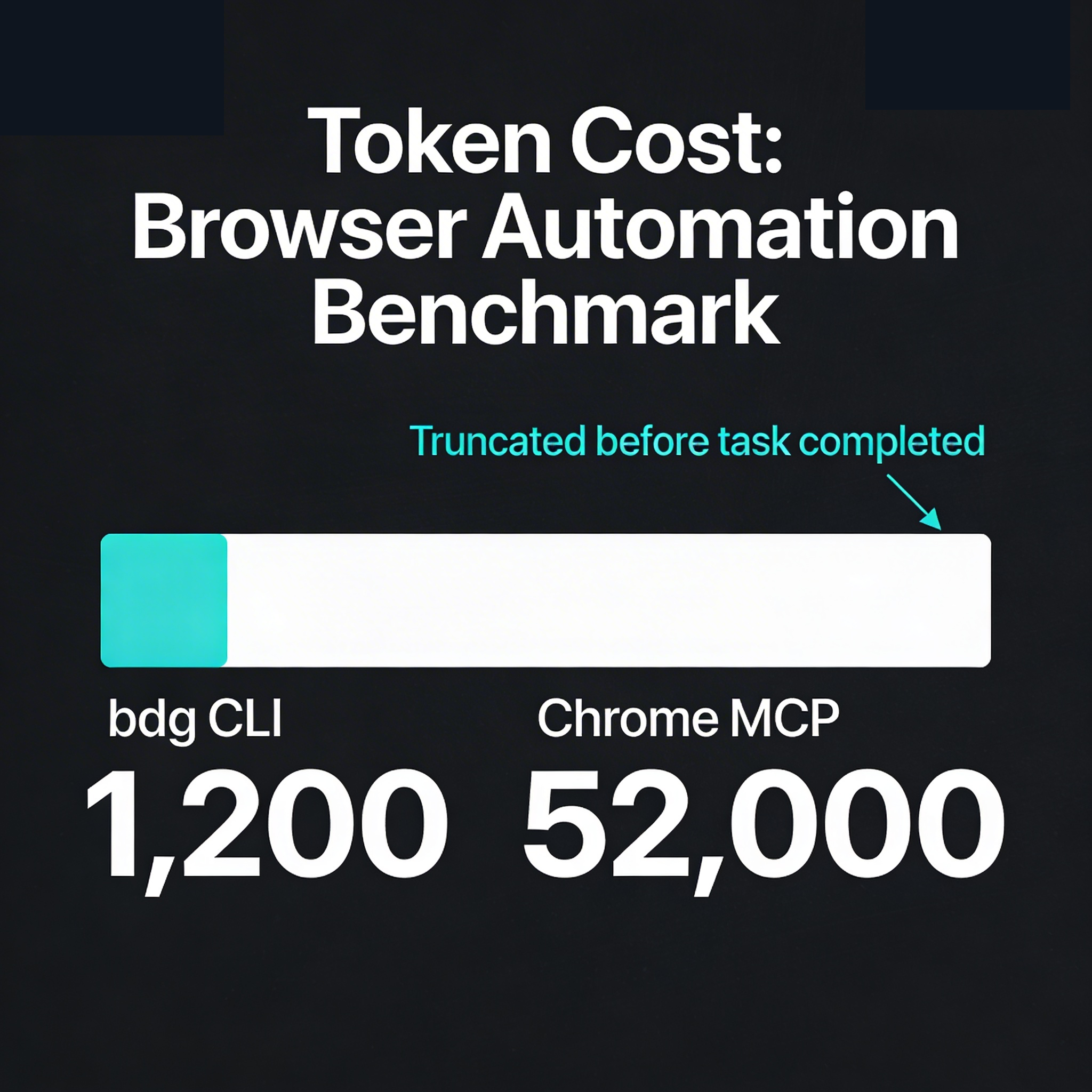
There's a browser automation benchmark comparing a CLI tool called bdg against Chrome MCP across three real-world tasks.
On an Amazon product page, bdg used around 1,200 tokens.
Chrome MCP's single snapshot call returned 52,000 tokens, the full page accessibility tree in one shot, truncated by the system limit before the task was even complete.
Across all three tasks, the CLI scored 96 out of 100. The MCP scored 63.
Token efficiency was the primary driver, with the CLI running about 13 times more efficient on average.
There is another benchmark however, that is worth taking seriously as well. A separate terminal benchmark across 120 evaluation runs showed MCP completing tasks faster than CLI in certain scenarios.
The reason is that MCP servers are pre-registered by the user, which the model treats as implicit permission.
CLI tools, because they might exist on a machine without the user deliberately exposing them, trigger more cautious agent behaviour. The agent checks, double-checks, and slows down.
Established developer friendly tools like GitHub, AWS, Google Cloud, and Azure all have mature, well-documented CLIs that models like Claude and Codex already know how to use.
The MCP server for these tools often just “wraps an API” and adds a new tooling dependency.
Every time the upstream API updates, the MCP wrapper needs to catch up.
This is workflow risk introduced without getting anything back.
There are legitimate exceptions however to using MCP servers, such as Figma and Excalidraw.
This is because these services didn't have developer CLIs before the MCP existed.
Even then, context bloat can become a problem and requires manually toggling it on and off per session.
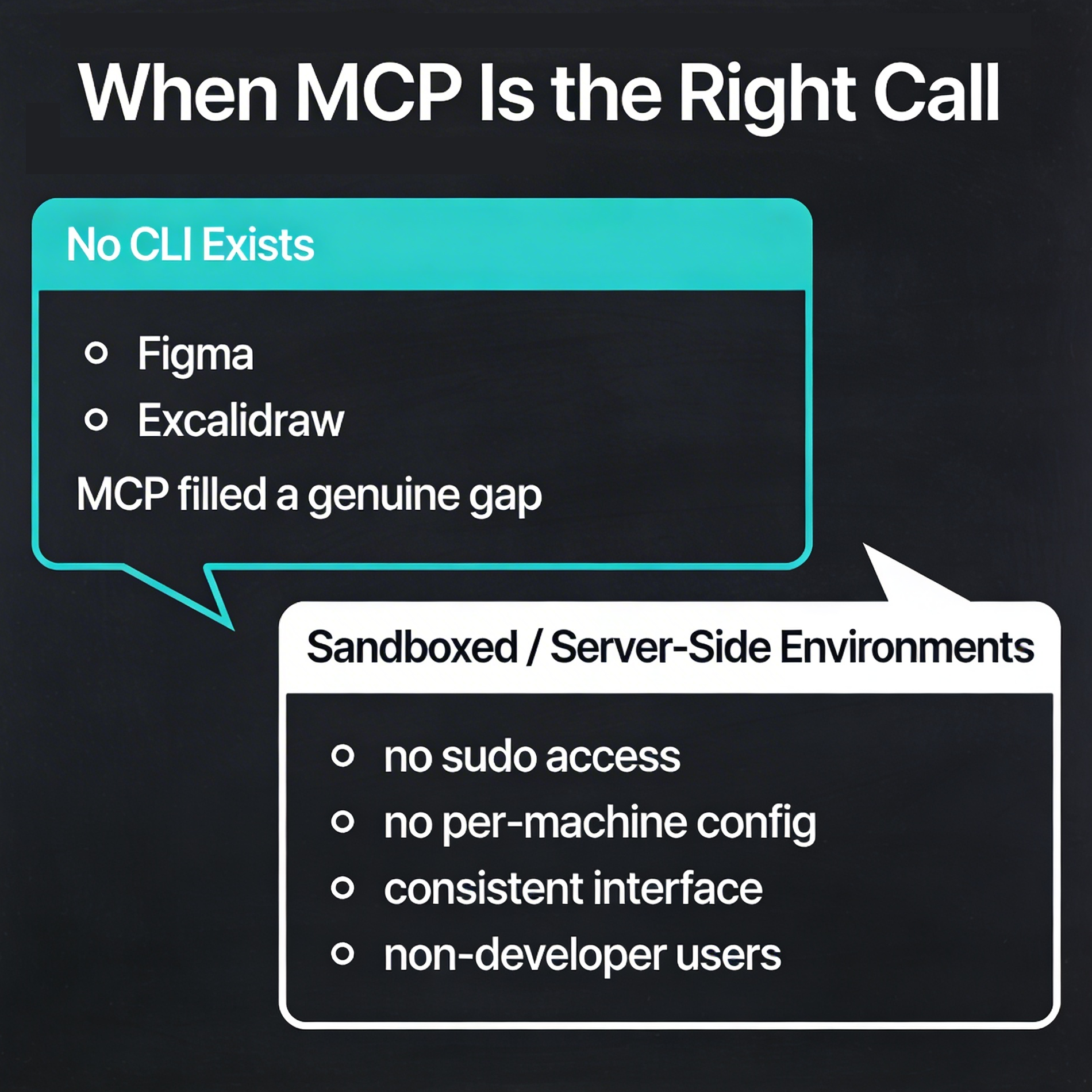
Another situation to use MCPs would be, if your agent is running inside n8n, a cloud-hosted workflow, or any sandboxed environment where you can't install software on the device.
You get a consistent interface, no sudo access required, no per-machine configuration, and most common agents already support it.
This is where MCP was actually designed to shine: narrow, focused, server-side workflows where the toolset is known in advance, and the user is often not a developer.